Native Instruments Traktor MX2 Review – An Editor’s Choice Controller Perfect for Creative DJing
Native Instruments has a reputation that works against them and in their favor at the same time.
They release some of the best software-based instruments in the game all the time (like, they have an insane release calendar every year of VSTs and Kontakt libraries). But when it comes to hardware, they’re a bit more selective; when they drop something new, it’s usually from a particular perspective. They do not flood the market with controllers every year, so when a new one comes out, like the Traktor MX2, I pay attention, mainly because they tend to aim incredibly high even when the product is positioned for newer users.
That was the tension I kept coming back to with the Traktor MX2.
This controller clearly targets a more entry-level audience on paper, but Native Instruments rarely builds anything without layering in deeper capability. I wanted to see where those ambitions landed when filtered through a consumer price point. I also wanted to see how much of Traktor’s identity actually made it into the hardware rather than being left behind in the software.
After spending time with it in real sessions, what stood out most was how intentionally the Traktor MX2 sits between accessibility and depth. It feels like a controller designed to grow with you rather than one you outgrow quickly, and that framing makes more sense the longer you use it.
Jump to these sections
Why The Traktor MX2 Took Home The Editor’s Choice Award
Very few DJ products actually move the conversation forward, especially at a price point aimed at newer artists, and that is where the Traktor MX2 separates itself.
What impressed me most is that Native Instruments did not simply scale down existing ideas to hit a lower cost. Instead, they focused on expanding what performance-oriented DJing can look like right now in 2025 (and 2026 when you’re likely reading this). The Traktor MX2 introduces workflows that feel genuinely modern, particularly around stems, Pattern Player, and hands-on sequencing during a mix.
In an era where beatmatching and core technical tasks have largely been solved by software, DJing increasingly becomes about interpretation and expression; obviously track selection is the most important part of DJing but now instead of technical chops being a close second, it’s the interplay of those tracks and the delivery of them that defines a new-level DJ these days and the Traktor MX2 gives modern selectors all the tools they need to steal the show.
I found that the Traktor MX2 leans directly into that reality. It encourages live remixing, creative looping, and track stacking in ways that feel natural rather than forced. Custom effects routing and performance controls are not treated as optional extras but as central parts of the experience.
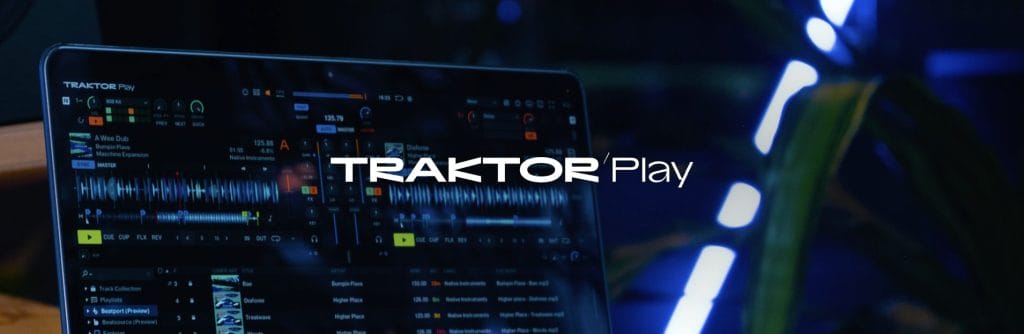
This approach becomes even more meaningful when paired with Native Instruments’ more budget-friendly software direction with the introduction of Traktor Play. Together, the hardware and software lower the barrier to entry without lowering creative potential. Newer DJs can access serious tools early, while more experienced users still have room to explore and refine their identity.
That balance is why the Traktor MX2 snags an Editor’s Choice easily as the year winds its way to a close. It prioritizes individuality, flexibility, and creative control at a time when many products still focus on surface-level upgrades. Native Instruments clearly understands where DJing is heading, and the Traktor MX2 reflects that vision in a way that feels thoughtful, accessible, and genuinely forward-looking.
Living inside Traktor Pro 4 without friction
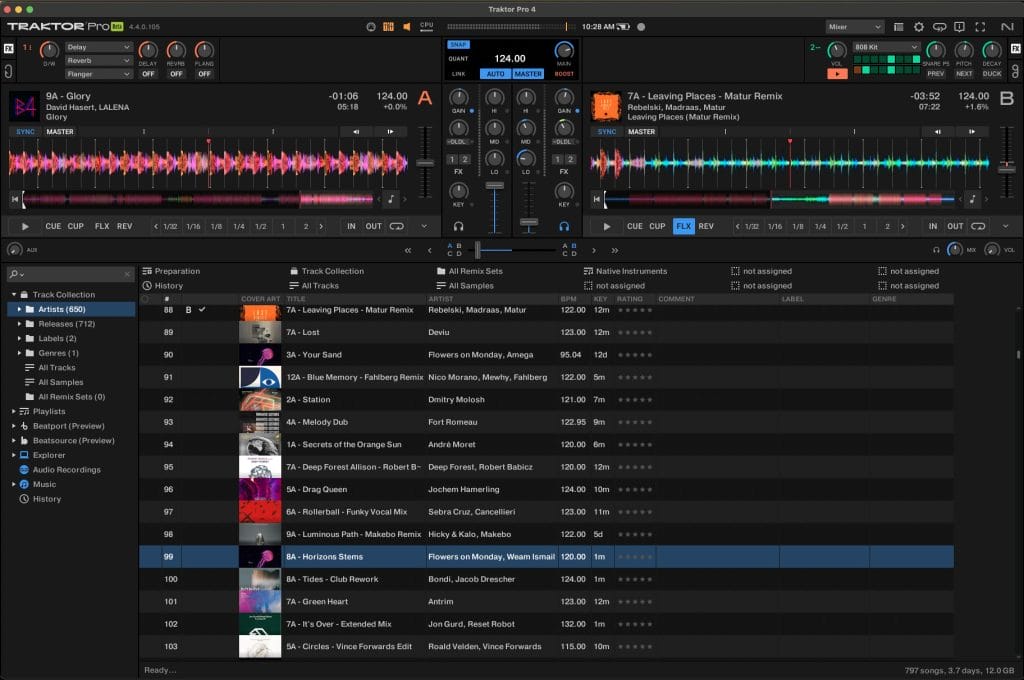
Having the full version of Traktor Pro 4 included changes the tone of the entire experience.
I did not feel like I was working inside a limited ecosystem or being nudged toward upgrades. Everything Traktor offers was available immediately, and that made learning the controller feel worthwhile rather than provisional.
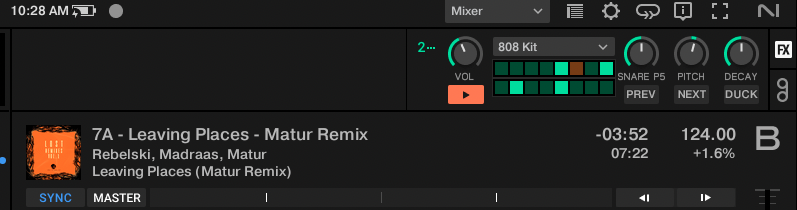
I found that this encouraged experimentation and I spent more time testing stems, Pattern Player, and effects simply because nothing was locked away before deep menus and complex routings or channels. That freedom matters, especially for newer users who may not know yet which tools will become central to their workflow.
The hardware integration reinforces that openness.
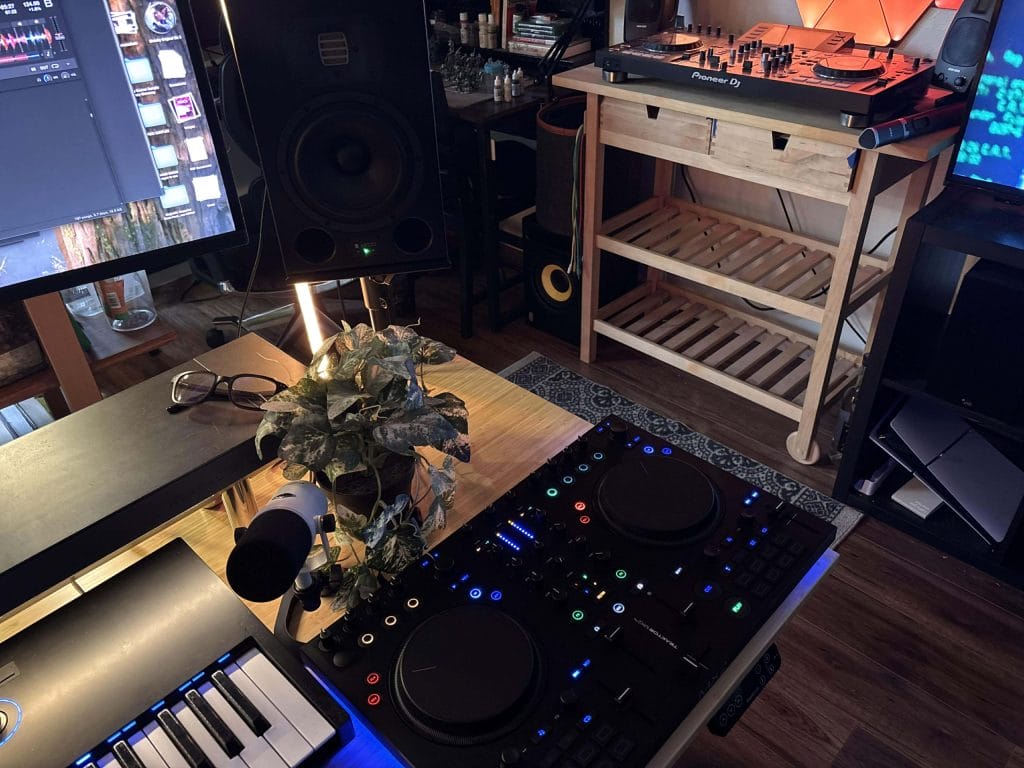
Browsing, previewing, loading, and prepping tracks all happen quickly from the controller, and I noticed that my laptop became more of a reference point than a control surface. Over longer sessions, this reduced fatigue and made mixing feel more continuous. I found that this helped me stay present in the mix, since I was not constantly shifting between physical and on-screen control. It also made longer practice sessions feel less mentally fragmented.
Key lock and pitch shifting being hardware-accessible also changed how I approached transitions in a super creative way. I discovered that I was making harmonic adjustments mid-mix instead of planning everything. That flexibility made sessions feel more conversational and less rigid.
External Power And Audio Quality
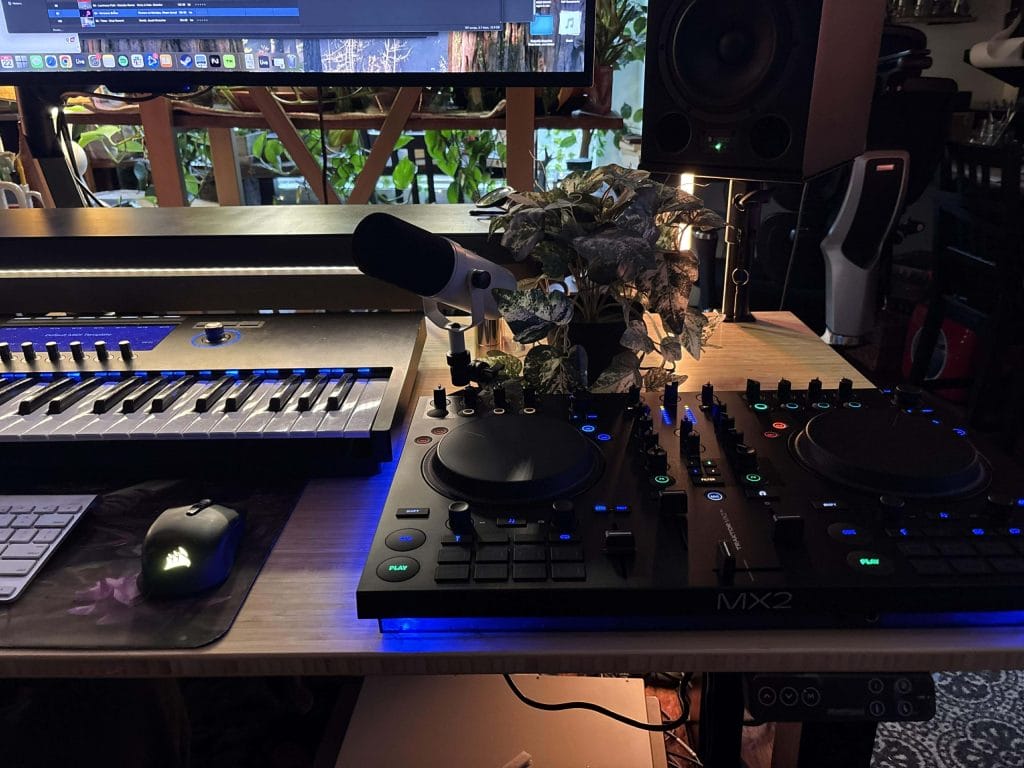
The external power requirement really helps give you a bit more confidence that this controller should be a stable setup. At first, that felt like a tradeoff, but the audio performance makes the reasoning pretty damn obvious. The internal audio interface delivers clean output with headroom that I could feel when pushing mixes harder.
I found that this extra margin mattered most when layering stems or stacking effects. The signal remained super solid, and I did not hear the strain that can creep in with smaller USB-powered controllers. That made longer and sometimes more creative, multi-layered and stem mixes easier to manage and reduced the need to monitor meters constantly.
External power also changes how confident the controller feels at higher volumes and in dimmer settings. I noticed that pushing the main output never felt risky because it wasn’t drawing from my computer, even when multiple elements were active at once, which made it easier to focus on phrasing instead of defensive management.
Visual feedback helps a ton with focus
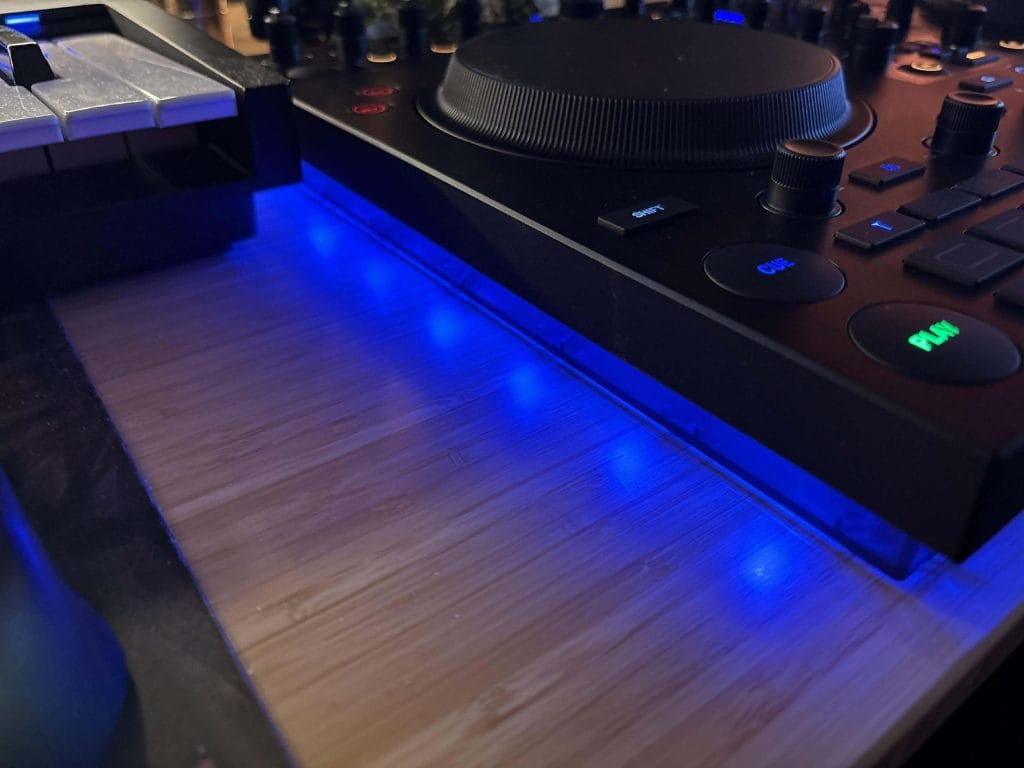
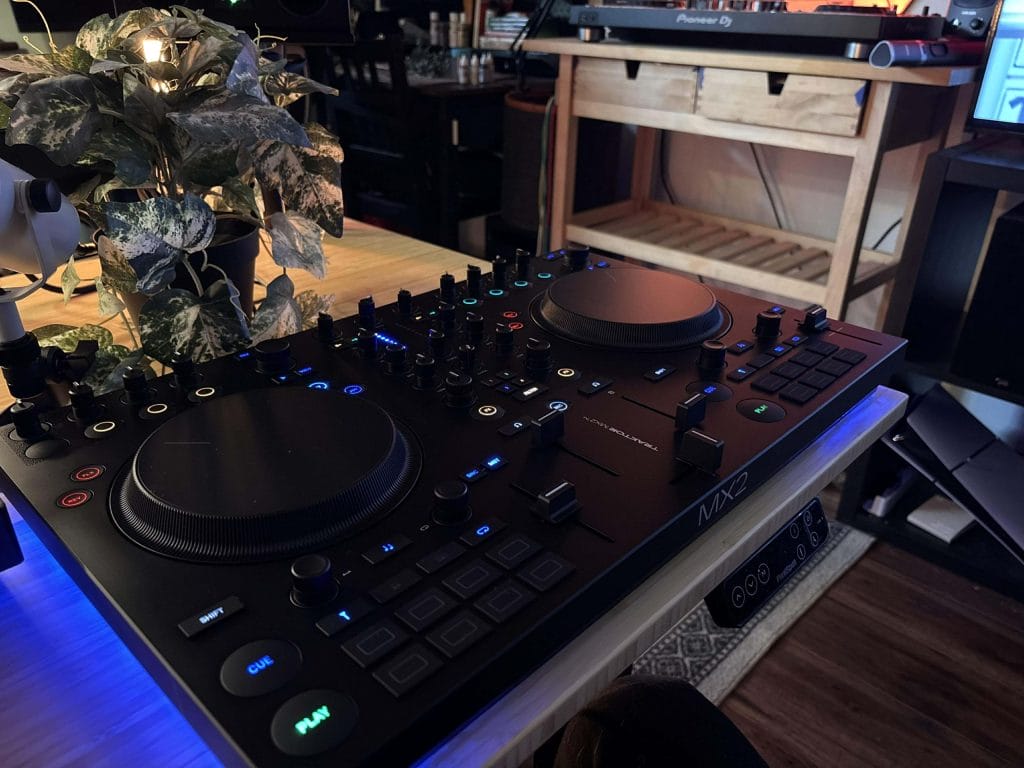
External power really helps with getting brighter and more customizable LEDs, which was awesome to see. Pads remained clearly visible in dim environments, and button states were easy to read at a glance. That reduced hesitation during transitions and helped me stay focused on phrasing, something I had experienced with other bus-powered controllers (and even the original Traktor controller many years ago, when I was just learning on it).
The bottom panel lighting turned out to be legit amazing.
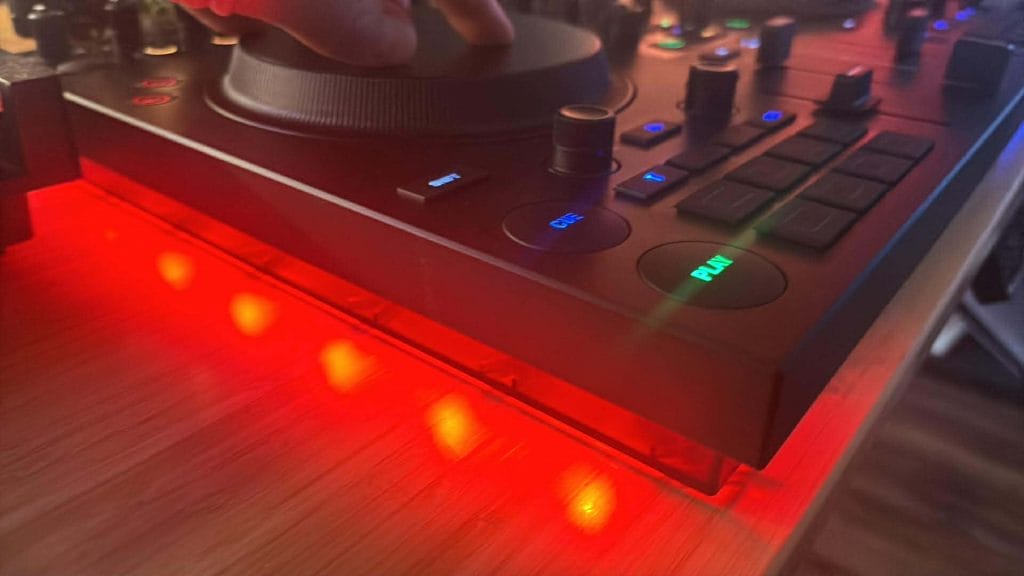
Loop status, sync warnings, and track end alerts were visible without shifting focus upward. I found this especially helpful during longer sessions where small reminders prevent mistakes. It became second nature to glance down and know exactly where each deck stood. Over time, that visual shorthand reduced small errors that usually come from fatigue.
The fact that these indicators are customizable matters as well because, if I wanted to, could simplify the visual feedback once I felt comfortable, which helped keep the setup calm rather than distracting.

Stems are where the Traktor MX2 really starts to punch above its weight class.
They are mapped directly to the pads, and once I adjusted to the layout, muting and adjusting elements became second nature. I found myself reshaping tracks during transitions instead of relying solely on EQ.
Holding pads to access secondary stem controls made sense right away, too, and it’s that intuitive flow that matters the most to the DJs and artists I feel like this controller is designed for. I could isolate vocals, soften percussion, or pull melodic layers back without breaking flow. That encouraged a more expressive approach to mixing, which, as I said earlier in the piece, I could see being the new standard of performance for DJs.
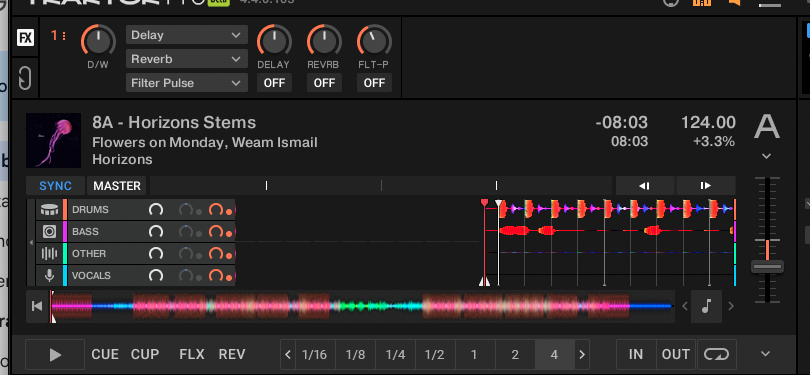
What stood out to me is how often I actually used stems once they felt accessible, even if the separation process took a bit longer than I would have liked (but that might be a computing-power issue on my MacBook’s end). Instead of being an occasional trick, they became part of my regular transitions which really does speak to how well they are integrated into the hardware.
Pattern Player follows the same logic, too, and was definitely one of my favorite features to play with. It feels playable rather than preparatory. I could introduce rhythmic movement while tracks were already in motion, which kept energy shifting without abrupt changes.
A fun evolution of this would be for Traktor to isolate and then cut the drums of a track directly on Traktor in the same way that you can isolate the drums and then cut a loop to MIDI in Ableton so that you can rework the drums live right there instead of relying on the stock sounds that come with the software but… all in due time I’m sure.
Flux and reverse with confidence
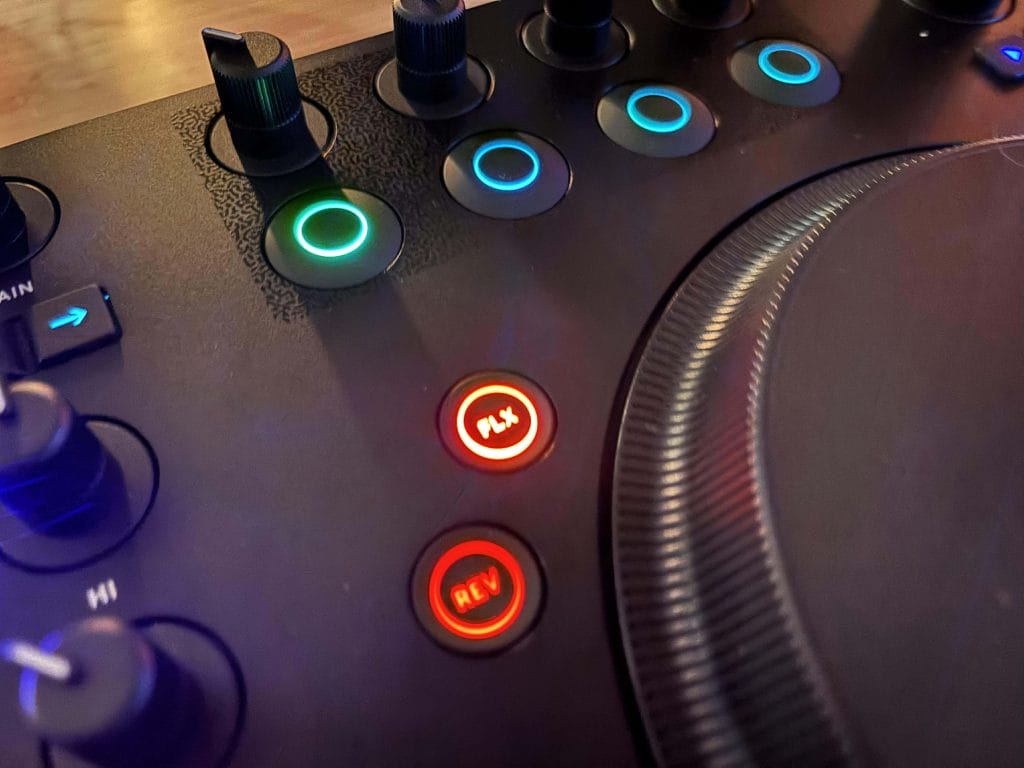
Flux mode quietly underpins a lot of this flexibility. Reverse automatically engaging Flux meant I could experiment without worrying about losing phrasing. I discovered that this made me more willing to take risks, especially in breakdowns.
Jog wheels support this confidence.
Their size and touch response feel consistent, and switching between turntable and jog modes prevented accidental stops. Beatmatching felt calm rather than tense, which matters over long sessions. I also found that small nudges felt more precise than I expected for a controller in this class.
Mixer layout and effects routing
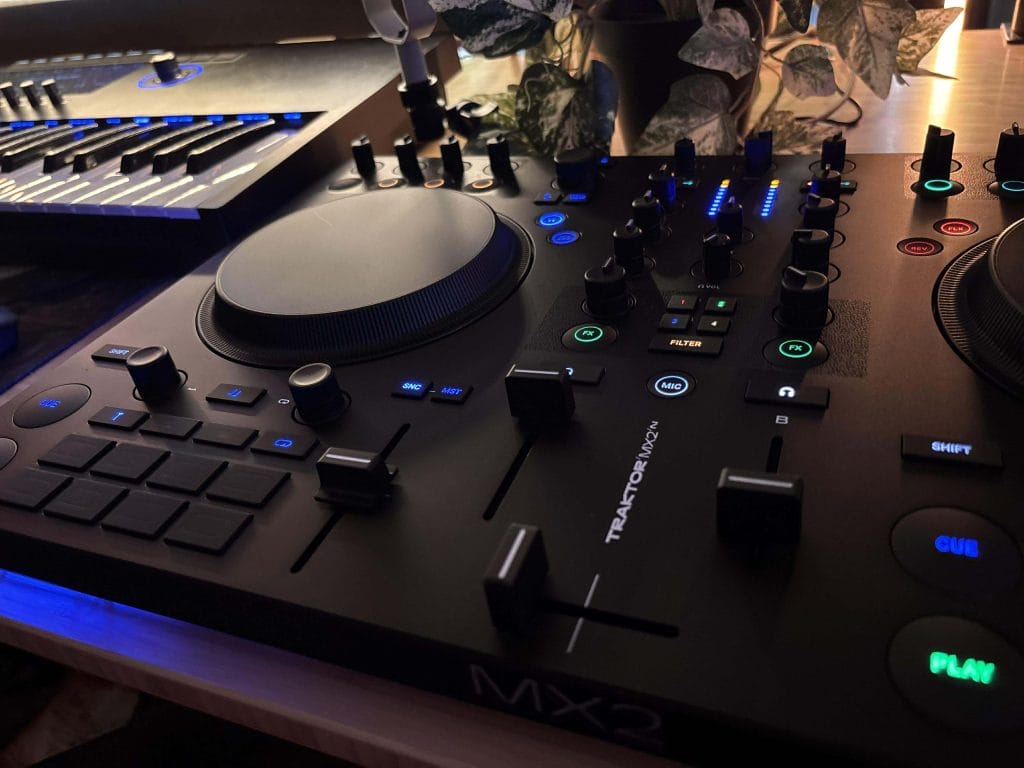
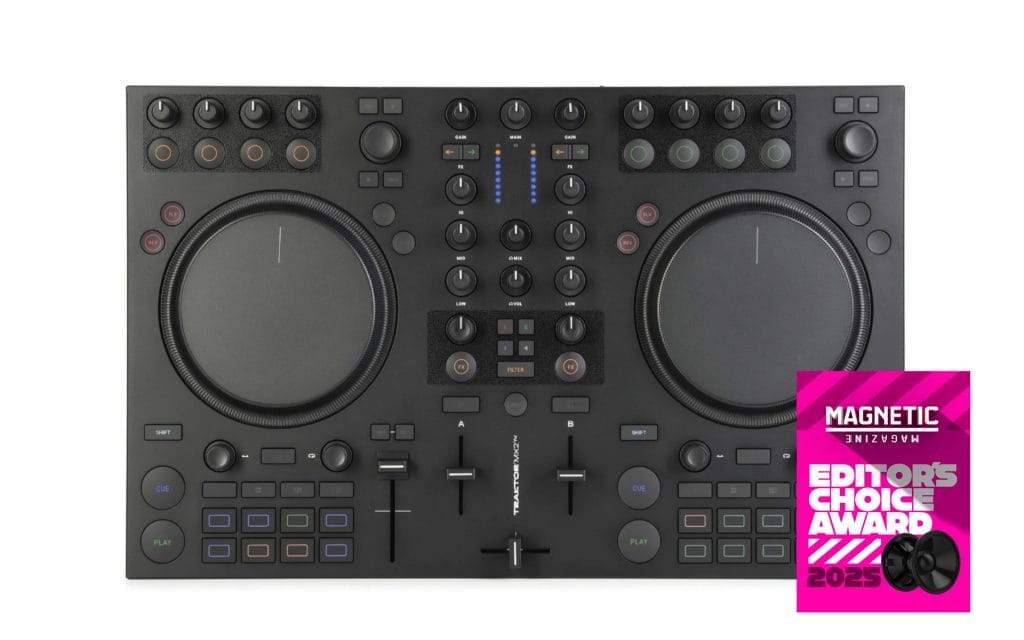
The mixer section is where the Traktor MX2 feels the most grounded and intentional. Per-channel VU meters provide clear, immediate feedback, and I relied on them constantly when setting gains without needing to stare at the laptop. I found that this made balancing tracks feel more confident, especially during longer blends where small level differences can creep in unnoticed. The meters respond predictably, which made it easier to trust what I was hearing rather than second-guessing visual information in the software.
Gain staging across the mixer felt consistent and forgiving. I could push channels, pull them back, and make small corrective moves without the mix reacting in unexpected ways. That predictability reduced mental load during transitions, which is something I value a lot when mixing for extended periods. It made the mixer feel like a stable foundation rather than something I had to manage carefully.
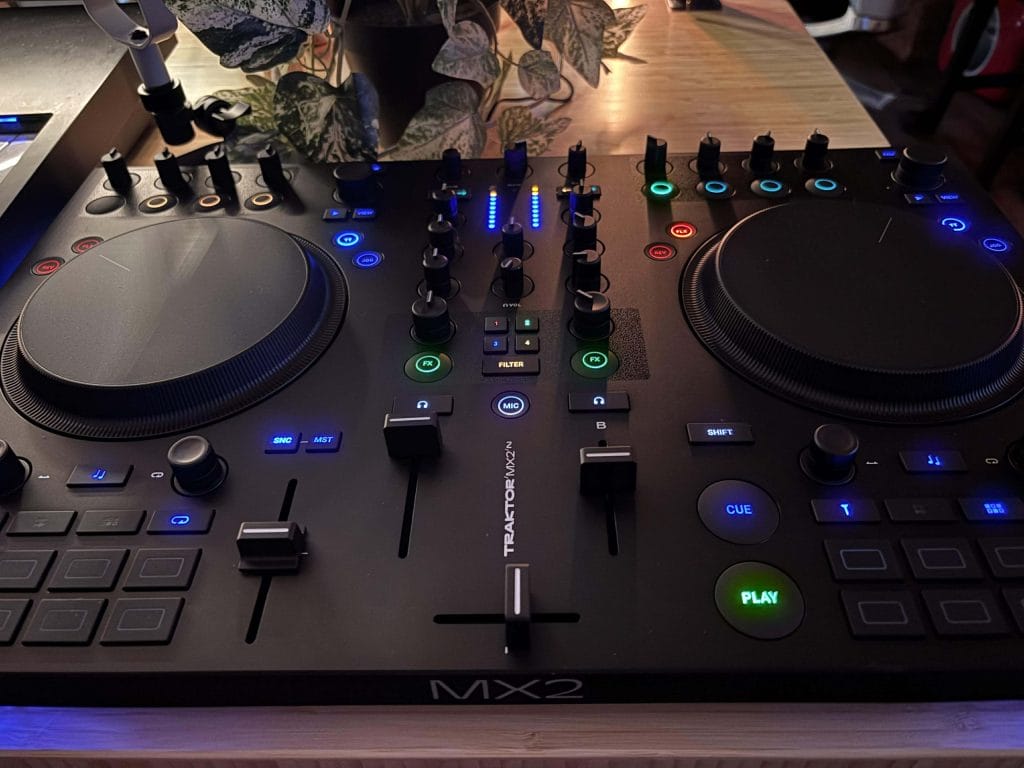
The presence of two independent FX units adds a level of flexibility that I did not expect at this level. I found myself routing channels differently depending on the transition instead of defaulting to a single effects chain. Being able to assign a channel to one FX unit, the other, or both directly from the mixer made those decisions feel immediate and musical rather than technical. Over time, this kept transitions from feeling repetitive and encouraged more intentional use of effects.

Mixer FX are one of the strongest parts of this section and the customization of these is next level; arguably one of the biggest features that takes this budget-friendly controller into the realm of pro-quality tool. The one-knob control per channel made filters, delays, reverbs, and gates fast to access without disrupting levels. I could push an effect, shape a transition, and pull it back cleanly without losing momentum. I also noticed that the center detent made it easy to return to a neutral state quickly, which helped keep mixes tidy.
As I spent more time with the Traktor MX2, I started relying on Mixer FX more than software-based effects. They felt quicker, more tactile, and better suited to real-time decisions. That shift made my mixing feel more physical and less procedural, which kept sessions engaging even when working through familiar material.
The microphone input routing through the software fits cleanly into this workflow even though I will be the first to admit I’m, not much of a mic rider. But It could be an invaluable tool for wedding DJs and those who need a bit more time on the mic.
Muting and unmuting from the controller worked reliably, and keeping the mic inside Traktor maintained consistent routing and level control. I found it easy to integrate when needed and just as easy to keep out of the way when it was not. I do recommend restraint with mic levels, but that applies to any software-routed setup and did not feel like a limitation specific to the Traktor MX2.
Customization depth and ownership over time
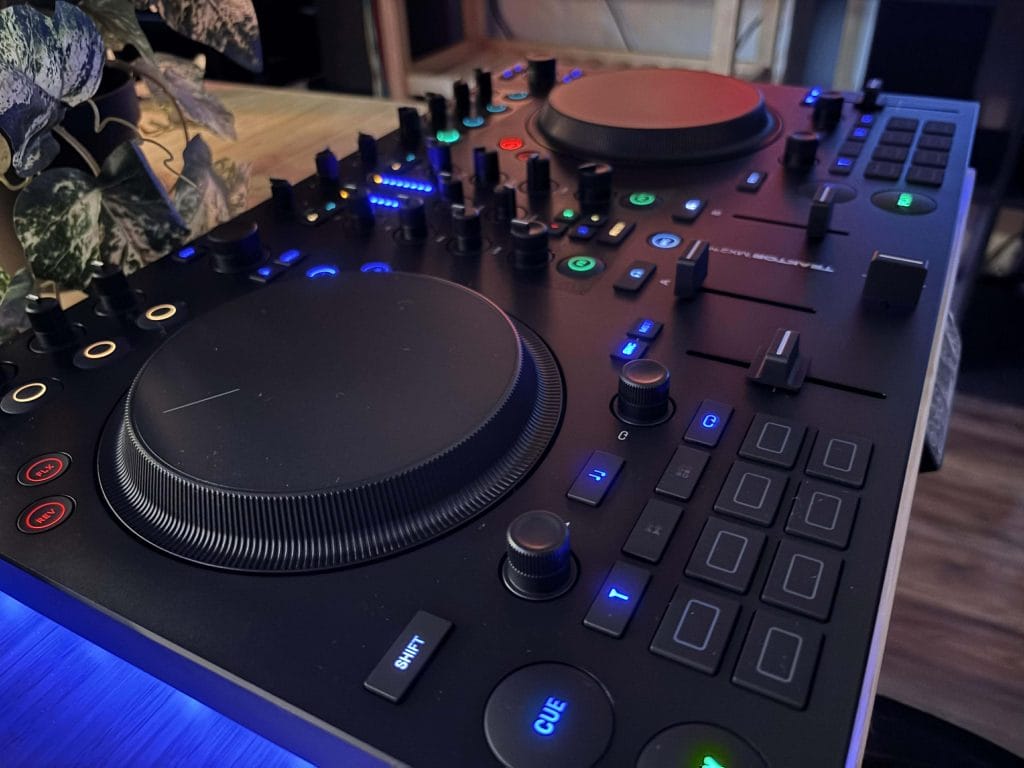
After spending real time with the Traktor MX2, what stayed with me most was how intentionally everything worked together. The controller never felt like a collection of features competing for attention. Instead, each design choice reinforced a clear idea of how Native Instruments expects people to learn, perform, and grow inside Traktor. I consistently felt encouraged to stay hands-on and engaged rather than managing the software from a distance.
The Traktor MX2 makes sense for DJs who want more than basic playback without feeling pushed into advanced workflows too quickly. I found it especially well-suited for producers who DJ, since stems, Pattern Player, and effects routing align naturally with an arrangement-focused mindset. It also works well for newer DJs who want access to real tools early on, even if they only use part of what is available at first. Over time, that unused depth becomes an advantage rather than an excess.
What ultimately makes the Traktor MX2 stand apart is its confident commitment to Traktor as a complete performance environment. It does not dilute the software to match the hardware, and it does not oversimplify the hardware to meet a price point.
I easily recommend it for anyone who plans to spend meaningful time inside Traktor rather than treating it as a temporary stop or the “training wheels’ of DJing. In daily use, the Traktor MX2 rewards curiosity, allows for customization consistency, and hands-on control, which is why it leaves a stronger impression the longer you live with it all of which, not to sound too redundent, but makes it punch wayyyyyy above it’s weight class and price point which is why it’s took home one of the final editor’s choice awards of 2025.