7 Of The Best Social Media Marketing Tools for Music Producers, DJs, and Artists To Try
Table of Contents
Above Image Cred: Courtesy Of Magnetic Magazine Recordings’ Artist Discognition. Product Image Cred Courtesy Of Respective Brands
If you are an artist trying to stay visible online, you already know social media can feel like a second full-time job, and having access to social media marketing tools for music producers can really make or break your career (and more importantly, your time and mental health).
I have spent years balancing release schedules, studio time, editorial work, and real life, and social media was always the thing that slipped when things got busy. That changed once I started treating social media marketing tools the same way I treat studio tools.
The goal is efficiency, consistency, and clarity, not constant activity.
Over time, I tested a wide range of platforms to see which ones actually helped musicians show up online without living inside Instagram or TikTok all day. Some tools focus on visuals, others on analytics, and some shine when you are managing multiple projects or artists at once. What I care about most is how these tools fit into a real creative workflow. Can I batch content around a release? Can I stay consistent during quiet periods? Can I understand what content actually connects with listeners? The tools below earned their place because they helped me do exactly that.
These are social media marketing tools I would recommend to a fellow producer or DJ who wants to take promotion seriously without burning out.
Hootsuite became useful to me when social media shifted from a solo task to one that touched multiple projects at once. When you are managing an artist profile, a label page, and possibly a brand or publication, having everything in one dashboard matters. I found Hootsuite especially helpful during release weeks where timing mattered and posts needed to land at specific moments.
The scheduling system felt dependable, which you notice very quickly when announcing premieres or tour dates. The stream’s layout made it easier to keep an eye on comments and messages without bouncing between platforms. From a producer standpoint, the analytics helped separate real engagement from noise.
Over time, I used it less as a posting tool and more as a coordination hub. It works best when social media is part of a bigger operation rather than a casual afterthought.
Best things about it
- Centralized control for multiple social media accounts
- Reliable scheduling for time-sensitive announcements
- Strong analytics for engagement and growth trends
Cons
- Can feel heavy for single-account users
- Pricing scales quickly as features increase
Best for
- Labels, collectives, and artists managing several profiles
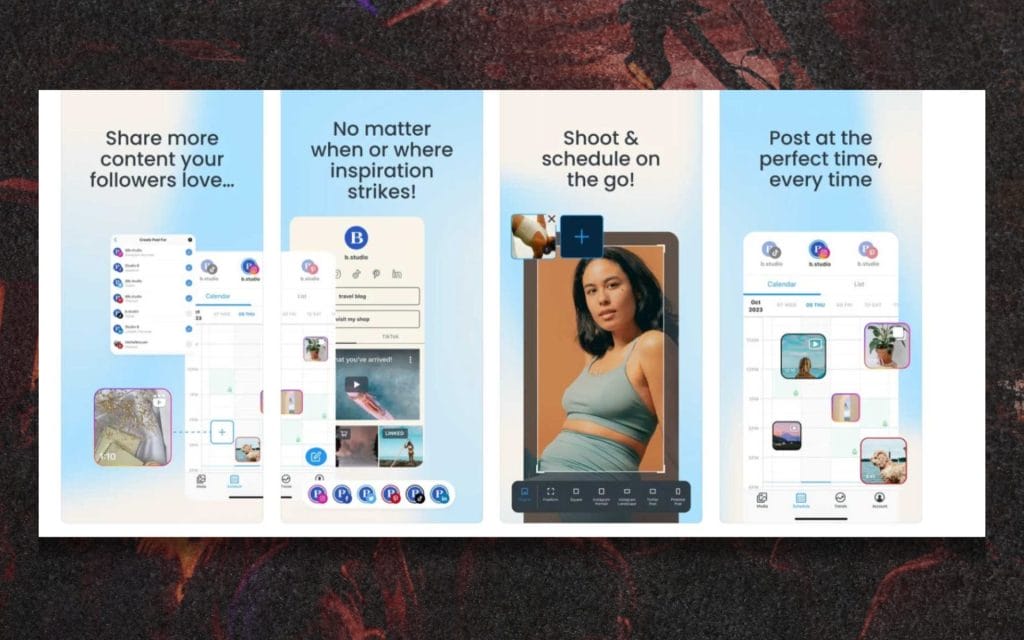
Later is the tool I leaned on most when visual identity mattered.
For music producers and DJs, visuals often carry just as much weight as the music itself, especially on Instagram and TikTok. I used Later heavily when planning release artwork, teaser clips, and short-form video content. The visual planner made it easy to see how posts worked together rather than treating each one as a standalone moment.
That helped me think in terms of campaigns instead of random uploads. The link-in-bio features also played a bigger role than expected, especially for directing listeners to tracks, ticket links, or mailing lists. I found that batching visual content inside Later made posting feel calmer and more intentional. It encourages planning without becoming rigid.
Best things about it
- Visual content planning for Instagram and TikTok
- Clean drag-and-drop scheduling interface
- Useful link-in-bio tools for music promotion
Cons
- Limited deep analytics
- Less suited for text-heavy platforms
Best for
- Artists and DJs focused on visual branding

Buffer is the tool I usually recommend when someone wants the least friction possible.
I used it during periods where social media needed to stay active but could not dominate my attention. The interface stays out of the way, which made it easy to schedule posts quickly and move on. For music producers, that matters during heavy studio weeks or deadlines. The analytics gave me just enough insight to understand what was working without pulling me into constant optimization.
I also liked how easy it was to maintain posting queues, which helped during slower periods between releases. Over time, Buffer helped normalize consistency rather than perfection. It supports steady habits instead of performance anxiety.
Best things about it
- Simple and fast scheduling
- Clean, readable analytics
- Very low learning curve
Cons
- Fewer advanced planning features
- Limited visual layout tools
Best for
- Solo artists and producers managing their own promotion

Metricool stood out when I wanted a clearer feedback loop between content and results.
I used it to understand how posts translated into profile visits, clicks, and follower growth rather than surface-level engagement. For DJs and producers running release campaigns, that insight matters because momentum is easy to misread. The reporting tools helped me see which formats actually moved listeners off social platforms and toward music. I also found the competitor and trend tracking useful for understanding how similar artists were positioning content.
Scheduling felt flexible enough without becoming complicated. Over time, Metricool became a planning tool as much as a reporting one. It supports a more analytical approach without losing accessibility.
Best things about it
- Detailed analytics across platforms
- Clear reporting for campaigns and releases
- Useful competitor and trend tracking
Cons
- Interface can feel busy at first
- Setup takes time to dial in
Best for
- Artists and teams who care about performance data
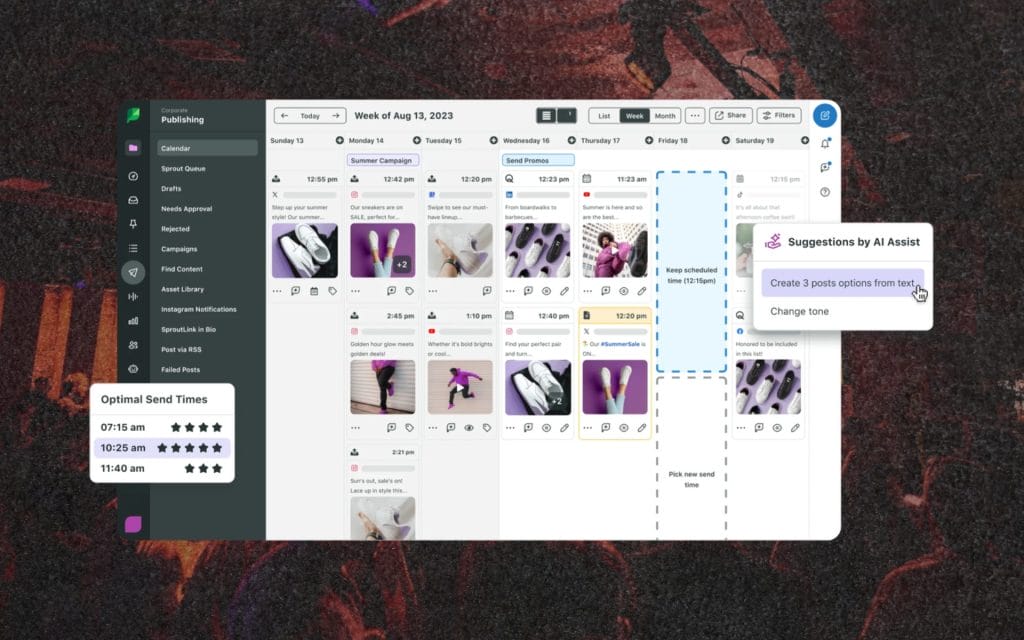
Sprout Social entered my workflow when collaboration became unavoidable. When multiple people need visibility into posts, messages, and approvals, this platform makes sense. I found its reporting especially helpful when reviewing campaigns after a release or tour cycle.
The unified inbox helped manage comments and direct messages during high-traffic moments. For music brands and labels, the social listening features added context around how audiences were responding beyond individual posts. It encouraged a more structured approach to content planning. Over time, Sprout felt less like a posting tool and more like an operations system. It suits organized teams with clear workflows.
Best things about it
- Strong collaboration and approval tools
- Advanced analytics and reporting
- Unified inbox for engagement management
Cons
- Higher price point
- Overkill for solo artists
Best for
- Labels, agencies, and managed artist teams
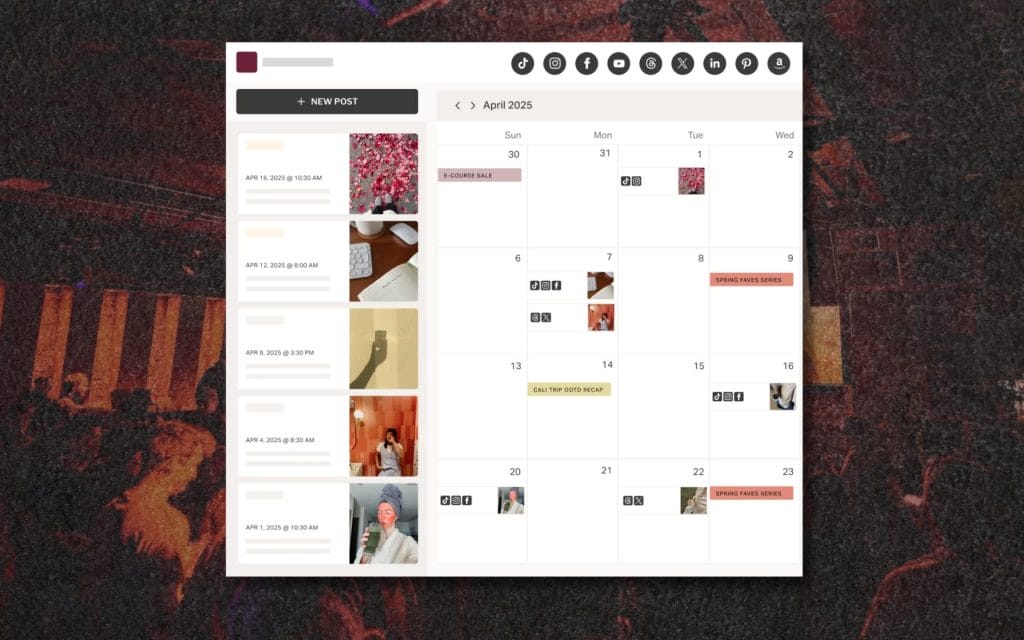
Planoly became useful when I wanted structure without complexity. I mainly used it for Instagram planning around artwork drops, announcements, and short-form content.
The grid preview helped maintain visual consistency, which matters more than people realize. Scheduling felt predictable and easy to manage. For artists who struggle with decision fatigue, Planoly reduces friction by making content planning visual and straightforward. It also worked well for coordinating Stories and Reels alongside feed posts. What I found to be a hidden X-factor is that it supported a calmer approach to posting simply because it favors clarity over depth.
Best things about it
- Visual grid planning
- Simple scheduling workflow
- Clean interface
Cons
- Limited analytics
- Focused mainly on Instagram
Best for
- Visual-focused artists and DJs
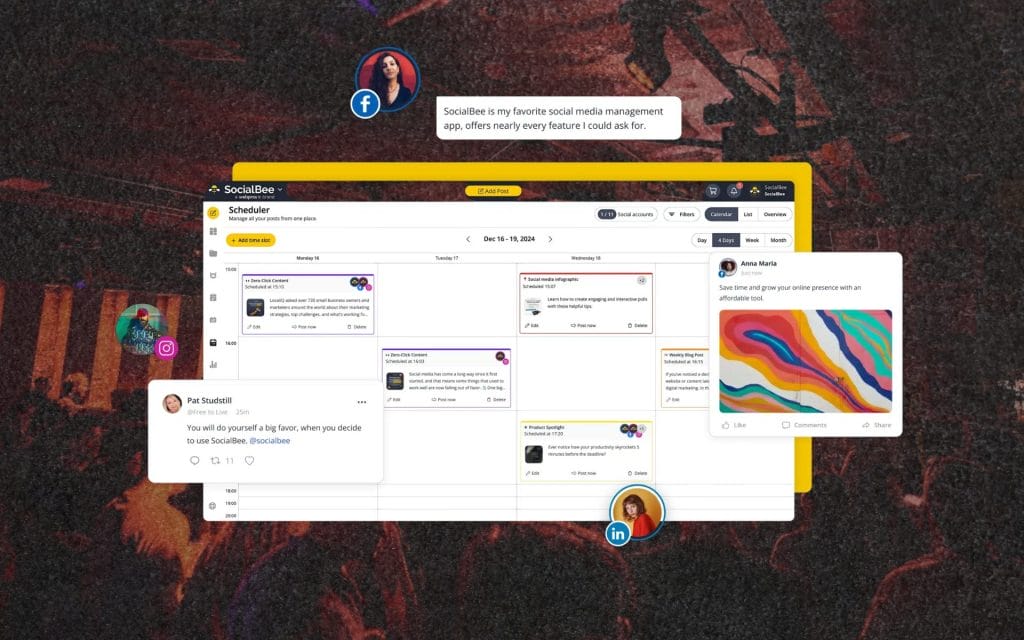
SocialBee earned its place when I wanted content to work harder. I used it to categorize posts such as releases, throwbacks, studio clips, and announcements, which helped keep feeds active without constant creation.
The content recycling system extended the lifespan of important posts instead of letting them disappear after one day. For producers and DJs, that meant less pressure to constantly create new material. I also liked how the category system encouraged balance between promotion and personality and in a weird way it shifted how I thought about long-term content strategy. It supports sustainability over intensity.
Best things about it
- Content categorization and recycling
- Strong scheduling tools
- Supports long-term planning
Cons
- Interface takes time to learn
- Less visual planning
Best for
- Artists who want consistency without burnout